
Using one email address for everything is convenient. You remember one address, every message arrives in one place, and account recovery feels simpler.
But convenience has a privacy cost.
The same email address can appear in your shopping accounts, social networks, newsletters, software trials, forums, apps, online stores, and dozens of databases you rarely think about. Over time, that address becomes a common identifier connecting activities that otherwise have little to do with each other.
This does not mean you need a completely separate permanent mailbox for every website. It does mean there is value in deciding which services actually need your primary address.
If you currently use the same email address everywhere, a simple compartmentalization strategy can reduce unnecessary exposure while keeping important accounts easy to recover.
Why Using the Same Email Address Everywhere Matters
An email address is more than a destination for messages.
It can also function as an account identifier, login name, contact point, recovery channel, marketing identifier, or piece of personal information stored alongside other data.
The National Institute of Standards and Technology defines personally identifiable information as information that can distinguish or trace an individual's identity, either alone or when combined with other information linked or linkable to that individual.
The NIST definition of personally identifiable information is useful here because privacy risk often comes from connections between pieces of data rather than from one isolated field.
Consider a permanent email address that you have used for ten years.
One retailer may associate it with purchases. A forum may associate it with a username. A newsletter provider may associate it with interests. An app may associate it with an account profile. Another service may use it for authentication or account recovery.
Those databases are separate, but the same address is present in all of them.
That is the basic privacy problem with email reuse.
Your Email Address Can Become a Matching Key
It is tempting to think that removing a person's name from a dataset automatically makes the remaining information anonymous.
That assumption can be wrong.
The Federal Trade Commission has specifically discussed email addresses and hashed email addresses as identifiers that can be used to recognize or match users.
Hashing transforms an identifier into another value, but identical input can produce identical output when the same hashing process is used. This can make matching possible even when the original address is not displayed directly.
The FTC explains this problem in its guidance on why hashing does not necessarily make personal data anonymous.
This does not mean every website that receives your email is secretly building a profile about you.
It means an email address is useful for correlation because it is relatively stable and frequently shared. Reusing the same value gives unrelated datasets a potential common field.
What Can Go Wrong When One Address Is Used Everywhere?
The effects range from simple inbox clutter to more meaningful privacy and security problems.
1. One Data Breach Exposes a Familiar Identifier
Suppose you use the same address for 40 websites and one of them suffers a data breach.
The breach does not automatically compromise the other 39 accounts. If you use unique passwords, a leaked password from one service should not work on another.
But your email address may now be exposed alongside information about the breached account.
That gives attackers or data collectors another piece of information that can potentially be connected with data obtained elsewhere.
If your address has already appeared in a breach, our email breach response checklist explains how to assess what was exposed and what actions actually matter.
2. Phishing Can Become More Relevant
A phishing message becomes more convincing when it contains information that matches your real activity.
A generic message claiming to be from a service you have never used is easier to dismiss. A message referencing a company where you actually have an account deserves more attention, even if it eventually turns out to be fraudulent.
Widely distributing one permanent address increases the number of services and databases associated with that address.
This does not guarantee targeted phishing, but it can provide useful context if information is later exposed or misused.
When a message looks suspicious, use our seven-step phishing email verification framework before following links, opening attachments, or providing information.
3. Marketing Exposure Accumulates
Not every privacy problem is a cyberattack.
Sometimes the result of sharing one address everywhere is simply years of newsletters, promotions, product announcements, abandoned-cart reminders, and marketing campaigns accumulating in the same inbox.
Even legitimate companies can change their communication practices over time. A signup that seemed harmless five years ago may still be sending mail today.
Separating low-priority registrations from important communication reduces the number of organizations with a direct route into your primary inbox.
4. Different Parts of Your Online Life Become Easier to Correlate
Imagine using one address for a gaming forum, online shopping, professional tools, newsletters, social media, and public communities.
Those activities have different purposes, but the address is identical.
Email compartmentalization does not make those activities anonymous. Websites can use many other identifiers, including account information, payment details, device information, IP addresses, cookies, and phone numbers.
But avoiding unnecessary email reuse removes one easy common identifier.
Think of this as reducing correlation, not eliminating identity.
The 3-Layer Email Compartmentalization Model
You do not need 50 permanent inboxes to improve email privacy.
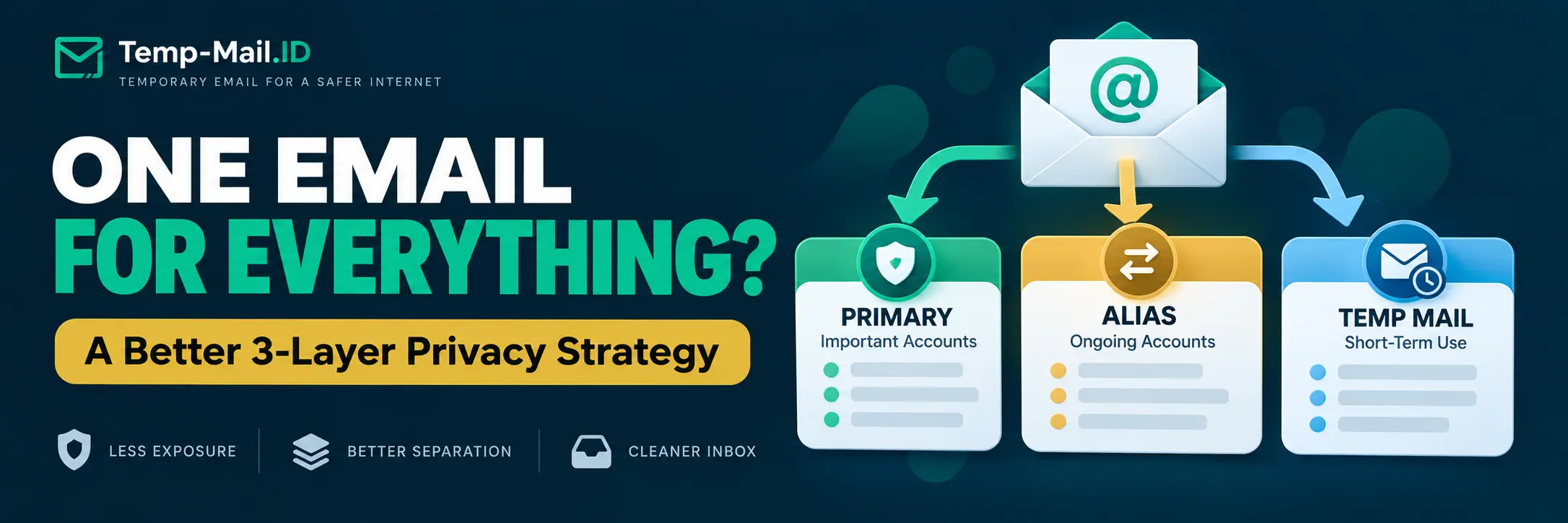
A practical setup can use three layers.
| Layer | Best For | Access Requirement | Examples |
|---|---|---|---|
| Layer 1: Primary Email | Important long-term accounts | Permanent and reliable | Financial accounts, healthcare, government, critical recovery, important personal accounts |
| Layer 2: Alias or Secondary Email | Ongoing but lower-priority relationships | Long-term access still required | Shopping, subscriptions, communities, software services, newsletters you want to keep |
| Layer 3: Temporary Email | Short-term and low-risk interactions | No future recovery required | One-time downloads, demos, low-risk trials, testing, temporary confirmations |
The goal is not to hide from every website. The goal is to stop treating every signup as equally important.
Layer 1: Reserve Your Primary Email for Accounts That Matter
Your primary email should be the address you expect to control for years.
Use it when losing email access could cause a serious problem.
Examples include:
- banking and financial services;
- government services;
- healthcare accounts;
- important work or business systems;
- critical password recovery;
- accounts containing sensitive personal information;
- services where long-term ownership matters.
These accounts benefit from a stable address because future recovery and security notifications are more important than reducing inbox exposure.
Protect this mailbox with a unique password and strong authentication options supported by your provider.
The fewer casual websites that receive this address, the easier it is to reserve the inbox for communication that actually matters.
Layer 2: Use an Alias or Secondary Address for Ongoing Accounts
Some accounts are not critical enough for your primary address but still need reliable long-term email access.
An email alias or separate secondary address can fit this middle layer.
Examples include:
- online stores you use regularly;
- newsletters you intentionally read;
- streaming or entertainment subscriptions;
- online communities;
- software products you expect to keep using;
- non-critical accounts that still need password recovery.
An alias can hide your base address while continuing to forward messages into a mailbox you control. A secondary mailbox creates more separation but requires another inbox to manage.
Neither approach is automatically better for every situation.
If you are choosing between an alias and a disposable inbox, see our temporary email vs email alias comparison.
Layer 3: Use Temporary Email for Temporary Interactions
Some websites need an email address even though you have no intention of maintaining a long-term relationship with them.
That is where a temporary inbox can be useful.
A temporary email address can be appropriate for short-term, low-risk tasks such as:
- receiving a one-time download link;
- previewing a newsletter;
- testing a signup flow;
- trying a low-risk web tool;
- receiving a temporary confirmation message;
- testing transactional email during development or QA;
- accessing a resource you do not expect to need again.
The important condition is replaceability.
If losing access to the address later would cause a problem, temporary email is the wrong layer.
Do not use temporary email for banking, government services, healthcare, sensitive business systems, important financial accounts, private documents, or critical password recovery.
Email Exposure Decision Matrix
Before entering an email address into a form, ask one question: how long will I need a reliable relationship with this service?
| Situation | Recommended Email Layer | Why |
|---|---|---|
| Bank account | Primary email | Security alerts and long-term recovery are critical. |
| Government service | Primary email | Identity and long-term access matter. |
| Healthcare portal | Primary email | Sensitive information requires a stable account you control. |
| Online store you regularly use | Alias or secondary email | You need receipts, support, and future account recovery. |
| Newsletter you intentionally follow | Alias or secondary email | Ongoing communication is expected but does not require your primary address. |
| Long-term software subscription | Alias or secondary email | Future billing, recovery, and support messages may matter. |
| One-time download | Temporary email | The interaction ends after the requested message arrives. |
| Low-risk product demo | Temporary email | Long-term recovery is usually unnecessary. |
| QA signup test | Temporary email | The account is intentionally disposable. |
| Unknown service you may use long term | Start cautiously, then reassess | If the account becomes important, move to an address suitable for long-term recovery when the service supports changing it. |
What Email Compartmentalization Does Not Protect Against
Email separation has clear limits.
Using different addresses does not automatically stop websites from recognizing you through other information.
For example, services may still receive:
- your phone number;
- payment information;
- shipping address;
- account username;
- browser or device information;
- IP address;
- cookies and other site identifiers;
- personal information you voluntarily provide.
If you use different email addresses but provide the same name, phone number, payment card, and shipping address everywhere, those services may still have other ways to associate activity with you.
Email compartmentalization solves a narrower problem: it reduces unnecessary reuse of one stable email identifier.
That makes it a privacy layer, not an anonymity system.
Does Hashing Your Email Make It Anonymous?
Not necessarily.
This distinction matters because people sometimes assume a hashed email address is no longer useful for identification or matching.
The FTC has warned against that assumption. A hashed identifier can remain useful for recognizing users, and hashing personal information does not automatically make the resulting data anonymous.
The FTC has also documented enforcement cases involving email addresses and advertising systems. In one case involving Twitter, the agency alleged that email addresses and phone numbers collected for account security were also used for targeted advertising by matching those identifiers with advertiser or data-broker lists.
The lesson for users is straightforward: your email address can have value beyond delivering messages.
Should You Create a Different Email Account for Every Website?
Usually, no.
Creating and manually maintaining dozens of independent permanent mailboxes can introduce its own problems. You have more passwords, more recovery settings, more inboxes, and more accounts to protect.
Compartmentalization should reduce complexity, not create another management burden.
The three-layer model provides a simpler approach:
- Protect one primary address for important accounts.
- Use aliases or a secondary address when continuity matters but the primary address is unnecessary.
- Use temporary email when the interaction itself is temporary and low-risk.
You can make the decision in a few seconds whenever a signup form asks for an email address.
What If You Already Used the Same Email Everywhere?
You do not need to change every account today.
Start with future signups.
Then gradually review existing accounts when you naturally interact with them.
A practical migration might look like this:
- Keep your current permanent address for important accounts.
- Make sure important accounts use unique passwords.
- Move lower-priority ongoing services to aliases or a secondary address when convenient.
- Unsubscribe from marketing you no longer want.
- Stop giving the primary address to new one-time services.
- Use disposable inboxes only where future access is genuinely unnecessary.
This approach improves separation gradually without creating a risky mass migration.
How This Strategy Helps With Spam
Spam control is one of the easiest benefits to notice.
If your primary address is shared with fewer websites, fewer organizations have an opportunity to send promotional mail directly to that inbox.
Aliases can make unwanted sources easier to isolate. Temporary inboxes can keep one-time interactions outside the permanent mailbox entirely.
This is prevention rather than cleanup.
For additional inbox hygiene strategies, read our guide on how to protect your email from spam.
A 10-Second Email Privacy Test Before Any Signup
Before entering your primary address, ask:
- Will I need this account next year?
- Would losing email access create a serious problem?
- Will this service receive sensitive personal information?
- Do I need receipts, support, billing notices, or password recovery?
- Is this interaction temporary and low-risk?
If long-term recovery or sensitive information matters, use a permanent address you control.
If ongoing communication matters but the service does not need your primary address, consider an alias or secondary mailbox.
If the interaction is short-lived, low-risk, and replaceable, temporary email may be enough.
Frequently Asked Questions
Is it bad to use the same email address for everything?
It is convenient, but it increases how widely one identifier is distributed. The same address can appear across unrelated services, marketing systems, and breach datasets. Using different email layers for important, ongoing, and temporary accounts can reduce unnecessary exposure without requiring a separate permanent mailbox for every website.
Should I use a different email address for every account?
You do not necessarily need a separate mailbox for every account. A practical approach is to reserve a primary address for important services, use aliases or a secondary address for ongoing lower-priority accounts, and use temporary email only for short-term interactions where future recovery is unnecessary.
Can companies track me using my email address?
Email addresses can be used as identifiers and for matching records. The FTC has documented cases involving email-address matching for advertising and has warned that even hashed identifiers are not automatically anonymous. Email is only one possible identifier, however. Websites may also use account, device, network, payment, or other information.
Does using different email addresses make me anonymous?
No. Email separation reduces reuse of one identifier, but it does not hide every other piece of information associated with you. A website may still receive your name, phone number, IP address, payment details, cookies, or device information. Think of email compartmentalization as exposure reduction rather than anonymity.
Should I use temporary email for shopping accounts?
Use a permanent address or alias if you expect to need order receipts, returns, support, warranties, password resets, or future access. Temporary email is better suited to short-term interactions that do not require recovery. An account that controls purchases or payment information should not depend on a disposable inbox.
When should I use my primary email address?
Reserve your primary address for accounts where reliable long-term access matters, especially financial, government, healthcare, important business, sensitive personal, and critical recovery accounts. Protect that mailbox with unique credentials and strong authentication options supported by your provider.
When does temporary email make sense?
Temporary email makes sense for short-term, low-risk interactions such as one-time downloads, demos, testing, temporary confirmations, and services you do not expect to keep. If losing the inbox later would cause a problem, use a permanent address or appropriate alias instead.
Final Thoughts
You do not have to stop using your primary email address. You just need to be more selective about where you use it.
One permanent address shared across every store, newsletter, forum, app, trial, and online form creates a convenient common identifier. Separating those activities into a primary email, aliases or secondary addresses, and temporary inboxes reduces unnecessary reuse.
The rule can stay simple: permanent email for permanent relationships, an alias or secondary email for ongoing but lower-priority relationships, and temporary email for genuinely temporary tasks.
For short-term, low-risk situations where future recovery is unnecessary, Temp-Mail.ID provides a separate temporary inbox so you do not need to share your primary address with every signup.