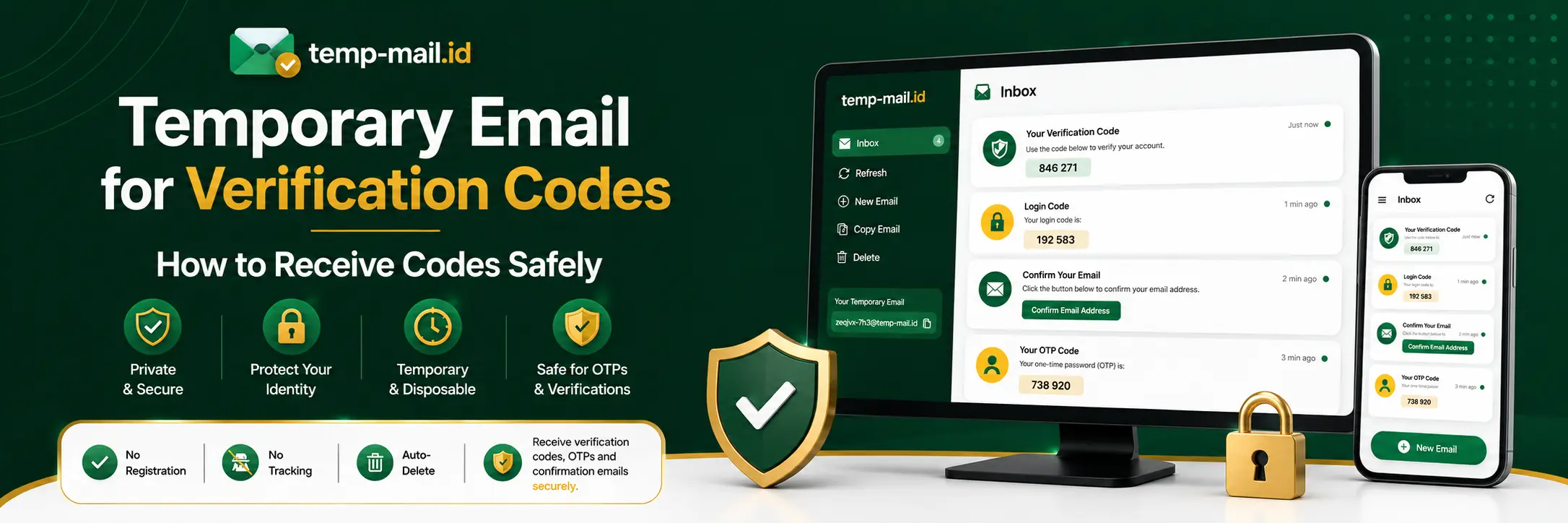
Almost every website asks for an email address before allowing you to create an account, access a dashboard, download a file, join a trial, or activate a feature. After entering your email, the next step is often the same: check your inbox for a verification code, confirmation link, OTP message, or login code.
This is where a temporary email for verification codes can be useful. Instead of giving your personal or work email to every website you test, you can use a temporary inbox to receive verification messages online. It helps you complete basic account checks while keeping your main inbox cleaner and more private.
Temp Mail ID gives you a fast way to generate a temporary email address, receive messages, and open verification emails directly in your browser. You can use it for quick sign ups, test accounts, confirmation codes, trial access, and other low-risk verification flows.
In this guide, you will learn why websites send verification codes, what temporary email for verification messages means, how to receive codes with Temp Mail ID, and when you should avoid using a disposable email for important accounts.
Why Websites Send Verification Codes
Websites send verification codes because they need to confirm that an email address is active and reachable. When a user signs up with an email address, the website wants proof that the user can actually receive messages at that address. This helps reduce fake accounts, mistyped emails, spam registrations, and unauthorized account activity.
A verification message can come in different forms. Some websites send a numeric code that you need to copy and paste into the account page. Others send a confirmation link that you need to click. Some platforms send a one-time password, also called an OTP, for login or account access. In many cases, the email is used to activate the account before the user can continue.
Email verification also helps websites with account recovery. If you forget your password later, the platform may send a reset link to your email address. If there is suspicious activity, the website may send a security alert. If billing or subscription information changes, the website may send a notification to the registered email address.
For serious accounts, that is important. But for quick tests, temporary trials, demo accounts, or one-time sign ups, using your main inbox every time can create unnecessary clutter. Newsletters, onboarding emails, product updates, and promotional campaigns can continue long after you stop using the website.
What Is a Temporary Email for Verification Codes?
A temporary email for verification codes is a short-term inbox that can receive emails without requiring you to use your personal email address. You can generate a temporary address, enter it into a sign up form, and check the temporary inbox for the code or link sent by the website.
This type of inbox is often called temp mail, disposable email, burner email, or temporary inbox. The purpose is simple: receive messages online for temporary use. It is especially helpful when you only need to pass an email verification step and do not plan to keep the account for long-term use.
For example, you may want to test a website, explore a tool, check a free trial, create a demo account, verify a download, or inspect an onboarding flow. In those cases, a temporary inbox lets you receive the confirmation message without exposing your primary email address.
A temporary email is not the same as a permanent email account. It is designed for short-term convenience. That makes it useful for verification messages, but not ideal for accounts you need to recover, pay for, or use for sensitive information.
When Temporary Email Is Useful for Verification Messages
Temporary email is useful when the verification process is low-risk and short-term. If you are signing up to test a website, compare online tools, check a login flow, or confirm a trial account, a temporary inbox can save time and protect your main inbox.
One common use case is testing new tools before deciding whether they are worth your real email address. Many users explore AI tools, SaaS products, productivity apps, developer platforms, forums, online communities, and download pages. These platforms often require account verification before access. Temp mail for verification codes helps you complete that step without mixing test emails into your main inbox.
Another use case is quality assurance. Developers, QA testers, and product teams often need to test sign up flows, confirmation emails, login codes, password reset messages, and account activation links. A temporary inbox makes it easier to create fresh test scenarios without reusing the same email address repeatedly.
Temporary email is also useful for privacy. You may not want to share your personal email with every website you visit. If you are unsure whether a platform is trustworthy or you only need access once, disposable email for verification can act as a privacy layer between your main inbox and the website.
How to Receive Verification Codes With Temp Mail ID
Receiving verification codes with Temp Mail ID is simple. The process is similar for websites that send numeric codes, confirmation links, OTP emails, or login messages.
Step 1: Open Temp Mail ID
Open Temp Mail ID in your browser. A temporary inbox will be available for receiving messages online. This inbox can be used for sign up verification, confirmation messages, login codes, and other short-term email checks.
Step 2: Copy Your Temporary Email Address
Copy the temporary email address shown on the page. Make sure you copy the full address correctly, including the domain name. A small typing mistake can prevent the verification email from arriving.
Step 3: Enter the Email on the Website
Go to the website where you want to create an account or receive a code. Paste the temporary email address into the email field. Complete the sign up form, login form, download form, or confirmation step as required.
Step 4: Return to the Temporary Inbox
After submitting the form, return to Temp Mail ID and wait for the message. Verification emails usually arrive quickly, but delivery time can vary depending on the website. Refresh the inbox if needed.
Step 5: Open the Verification Message
When the email appears, open it and look for the verification code, OTP, login code, or confirmation link. Copy the code or click the link, then return to the website to complete the process.
This workflow is useful for basic account verification, trial testing, and temporary online access. It is also helpful when you need to test several accounts or platforms in a short amount of time.
Temporary Email for OTP, Login Codes, and Confirmation Links
Verification messages are not always the same. Some websites send OTP codes, some send login codes, and others send confirmation links. A temporary inbox can help with many of these email-based verification flows.
Temporary email for OTP is useful when a website sends a one-time password by email. The OTP may be a short numeric code that expires after a limited time. You copy the code from the temporary inbox and paste it into the website to continue.
Temp email for login code is useful when a platform uses passwordless login or magic code access. Instead of entering a password, you receive a login code by email. This can be convenient for temporary accounts, testing, or quick access.
Email for confirmation code is useful when the website needs a code to activate your registration. This may happen after creating an account, joining a trial, verifying a newsletter sign up, or confirming access to a download.
Email for confirmation link is useful when the website sends a clickable activation link instead of a code. You open the message in the temporary inbox and click the link to confirm the account.
Although these flows are slightly different, the purpose is similar. The website wants to confirm that the email address can receive messages. Temp Mail ID can help you receive those verification messages without using your primary inbox.
Benefits of Using Disposable Email for Account Verification
Using a disposable email for account verification has several practical benefits, especially for users who sign up for many websites, test online tools, or care about inbox privacy.
It Helps Protect Your Main Inbox
Every sign up can lead to future emails. Some websites send welcome messages, onboarding sequences, marketing emails, product updates, discount offers, and reminder campaigns. A temporary inbox helps keep those emails away from your personal or work inbox.
It Makes Testing Faster
For developers and testers, temporary email can speed up repeated account creation. You can test different verification scenarios, onboarding flows, and confirmation messages without creating new permanent email accounts.
It Adds a Privacy Layer
When you use a temporary inbox, you do not need to share your main email address with every website. This can reduce exposure to spam, unwanted follow-ups, and unnecessary data collection.
It Is Useful for Low-Risk Sign Ups
Temporary email is ideal for low-risk accounts, short trials, one-time downloads, demo access, and websites you only want to test. It gives you enough access to receive the verification message without committing your primary email.
It Keeps Online Experiments Separate
If you regularly test new apps, AI platforms, browser tools, SaaS products, forums, or developer services, a temporary inbox keeps those experiments separate from your important communication.
When Not to Use Temporary Email for Verification Codes
Temporary email is useful, but it is not always the right choice. You should avoid using it for accounts that are important, sensitive, paid, or long-term.
Do not use a temporary email for banking, payment services, government portals, healthcare accounts, business accounts, tax services, or any platform that stores sensitive personal information. These accounts need a permanent email address because you may need account recovery, security alerts, and long-term access.
You should also avoid temporary email for paid subscriptions. Billing receipts, renewal reminders, failed payment alerts, and cancellation notices should go to an inbox that you control permanently. If you use temp mail for a paid account, you may lose important messages later.
Temporary email is also not ideal for accounts connected to client projects, team workspaces, API keys, private documents, or long-term work history. If the account matters, use a permanent email address or a dedicated email alias.
Some websites may block temporary email domains. If a website does not accept a disposable email address, you may need to use a regular inbox. Always follow the rules of the platform you are using and avoid using temporary email for abuse, spam, ban evasion, or fraudulent activity.
A good rule is simple: use temporary email for testing, privacy, and short-term verification. Use a permanent email for anything valuable, sensitive, paid, or difficult to recover.
Related Temp Mail Verification Pages
If you want more specific guides for verification, OTP, login codes, and confirmation emails, explore these related Temp Mail ID pages:
- Temp Mail for Verification and OTP
- Temp Mail for Verification
- Temporary Email for OTP
- Email for Verification
- Email for Account Confirmation
- Email for Login Code
- Temporary Email
- Disposable Email
These pages can help you choose the right temporary inbox workflow for account activation, OTP messages, login codes, confirmation links, and general online sign ups.
FAQ
Can I use temporary email for verification codes?
Yes. You can use temporary email for verification codes when a website sends a code, confirmation link, OTP, or login message by email. It is best for temporary, low-risk, or testing purposes.
What is temp mail for verification codes?
Temp mail for verification codes is a temporary inbox that lets you receive account verification emails without using your personal email address. You can use it to receive codes, links, and confirmation messages online.
Can I receive OTP emails with a temporary inbox?
Yes, if the website sends OTP messages by email, a temporary inbox can receive them. However, some platforms may block disposable email domains or require a permanent email address.
Is disposable email safe for account verification?
Disposable email is useful for short-term and low-risk verification. It is not recommended for important accounts, financial services, paid subscriptions, business tools, or accounts that you need to recover later.
Why did my verification code not arrive?
A code may not arrive if the website blocks temporary email domains, delays delivery, sends the message to a different address, or has a mail delivery issue. Check that the email address was copied correctly and refresh the inbox.
Can I use temporary email for login codes?
Yes. If a website sends login codes by email, you can use a temporary email for login code messages in short-term or testing scenarios. For long-term accounts, a permanent email is safer.
Should I use temporary email for password reset emails?
Only for test accounts or temporary accounts. For important accounts, password reset emails should go to a permanent inbox that you can access whenever needed.
Conclusion
A temporary email for verification codes is a practical tool for receiving codes, OTP emails, login messages, and confirmation links without exposing your main inbox. It helps you complete basic account verification while keeping sign up emails, trial messages, and promotional follow-ups separate from your personal or work email.
Temp Mail ID makes this process simple. You can generate a temporary inbox, copy the address, use it on a website, and open the verification message when it arrives. This is useful for quick sign ups, demo accounts, testing workflows, temporary access, and privacy-focused browsing.
At the same time, temporary email should be used carefully. It is best for low-risk and short-term use. For important accounts, paid services, sensitive data, business tools, and anything you need to recover later, use a permanent email address instead.
If you need a fast way to receive verification messages online, Temp Mail ID gives you a simple temporary inbox for codes, OTP emails, confirmation links, and account testing.