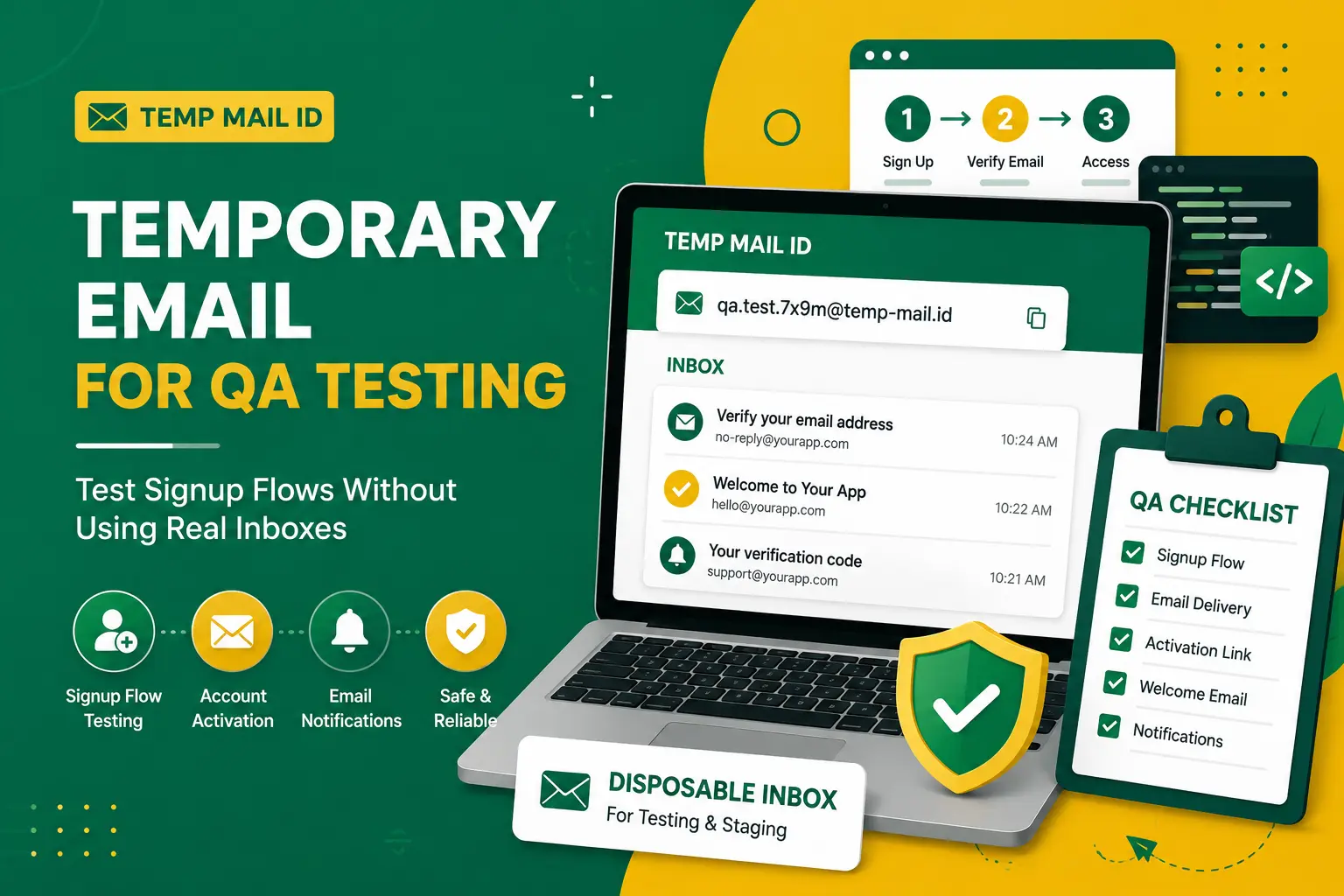
Temporary Email for QA Testing - Test Signup Flows Without Using Real Inboxes
QA teams test more than buttons, layouts, and page speed. They also test the small but important email moments that happen across a product journey. A user signs up, receives an activation email, confirms an address, resets a password, accepts an invite, receives a notification, or joins a demo workspace. Each of those flows depends on email working correctly.
Using temporary email for QA testing can make these checks faster and cleaner. Instead of using real personal inboxes, shared team inboxes, or old test accounts that are already filled with messages, testers can use disposable inboxes to receive emails online during low-risk testing. This helps teams verify signup flows, confirmation messages, staging behavior, and product notifications without creating unnecessary clutter.
Temp Mail ID gives testers a simple way to generate a temporary inbox, copy an email address, use it inside a test flow, and receive the message in the browser. It is useful for signup testing, test accounts, staging environments, demo workflows, and repeated QA checks where long-term inbox access is not required.
This guide explains how temp mail for QA testing works, which email workflows need testing, how Temp Mail ID helps testers receive emails online, and how to keep disposable email usage safe, responsible, and appropriate for product testing.
Why QA Teams Need Clean Email Testing Workflows
Email testing can get messy quickly. A QA tester may need to create multiple accounts across different browsers, devices, user roles, pricing plans, regions, or environments. Each account may trigger welcome emails, activation links, login codes, reminder messages, invite emails, or notification alerts. Without a clean workflow, inboxes become difficult to manage.
Shared test inboxes are common, but they can create confusion. Many testers may use the same inbox at the same time. Messages from different test cases can overlap. Old emails may remain visible. A tester may click the wrong activation link or copy the wrong code. This can slow down testing and create false results.
Real inboxes create another problem. Personal and work email accounts should not be used for every test account. They may receive long-term product emails, marketing sequences, and automated alerts after testing is finished. Over time, this can clutter important inboxes and make QA work harder to separate from normal communication.
A clean email testing workflow gives each test scenario a clearer boundary. A temporary inbox can be used for one account, one test case, or one short QA session. This makes it easier to check whether the right message arrived, whether the content is correct, and whether the next step in the signup flow works as expected.
What Is Temporary Email for QA Testing?
Temporary email for QA testing is the use of a short-term email inbox to receive messages during software testing. The tester generates a temporary address, uses it in a signup or product workflow, then checks the temporary inbox for the message sent by the application.
This is also called temp mail for QA testing, disposable email for software testing, temporary email for test accounts, or a disposable inbox for app testing. The purpose is not to replace a real email account. The purpose is to create a quick, separate inbox for low-risk testing scenarios.
For example, a tester may need to check whether a new user receives an activation link after registration. Another tester may need to verify that a welcome email includes the correct name, plan, and call-to-action. A product team may need to confirm that staging emails are being delivered correctly before a release. Temporary email can support these checks without creating permanent accounts for every test.
Temporary email is especially useful when the account does not need to be recovered later. If the test account is only used to check a signup flow, receive a confirmation email, or validate a notification, a disposable inbox can be practical and efficient.
Common Signup and Email Flows That Need Testing
Most modern applications rely on email at several points in the user journey. QA teams should test these flows because email problems can block activation, confuse users, or make a product feel unreliable.
The first common flow is account registration. After a user signs up, the application may send a verification link or confirmation code. QA should check whether the email arrives, whether the link works, whether the code is valid, and whether the account status changes after verification.
The second flow is welcome email delivery. Many products send a welcome message after account creation. This email may include onboarding steps, product links, workspace details, trial information, or support resources. QA teams should confirm that the message is triggered at the right time and contains accurate information.
The third flow is password reset. Even though temporary email is not recommended for important long-term accounts, password reset behavior is still important in test environments. QA can use a temporary inbox to check whether reset emails are delivered, whether tokens expire correctly, and whether old links stop working after a new reset request.
Other important flows include team invites, role-based notifications, billing-related test messages, login codes, magic links, newsletter confirmations, trial reminders, order notifications in staging, and product alert emails. Each flow should be tested in a safe environment before it affects real users.
How Temp Mail ID Helps Testers Receive Emails Online
Temp Mail ID helps testers receive emails online without opening a personal inbox or creating a permanent email account. The workflow is simple enough for manual QA and flexible enough for repeated product checks.
First, the tester opens Temp Mail ID and copies the temporary email address. Next, the tester uses that address inside the application being tested. This could be a signup form, staging registration page, invite form, newsletter form, account activation step, or demo account flow.
After submitting the form, the tester returns to the Temp Mail ID inbox and waits for the message. If the application sends an activation email, confirmation link, welcome email, or notification, the message can be opened directly in the browser. The tester can then verify the subject line, sender name, content, call-to-action, code, link, and timing.
This workflow is useful because it keeps testing focused. The temporary inbox contains only the messages relevant to that test session. It reduces the chance of mixing old emails with new results. It also makes it easier to repeat tests with fresh email addresses when checking duplicate registration behavior, account limits, or different onboarding paths.
Testing Account Activation, Welcome Emails, and Notification Messages
Account activation is one of the most important email flows to test. If the activation email fails, users may be unable to complete registration. QA teams should check whether the email arrives after signup, whether the link opens the correct page, whether the account becomes active, and whether expired or reused links behave correctly.
Welcome emails also deserve attention. A welcome email may be the first message a new user receives from a product. It should have the correct branding, greeting, product links, and onboarding instructions. Temporary email for test accounts can help QA teams create fresh users and check the message from a clean inbox.
Notification messages are another major testing area. A product may send messages when a user is invited to a workspace, assigned a task, mentioned in a comment, receives a file, changes a password, or updates account settings. QA should confirm that the right user receives the right message at the right time.
Testing these emails is not only about delivery. The team should also check content accuracy, personalization, formatting, mobile readability, link behavior, unsubscribe links when applicable, and whether sensitive data is exposed unnecessarily. A disposable inbox can help testers inspect each message without mixing it with production email.
Temporary Email for Staging, Sandbox, and Demo Environments
Temporary email is often useful in staging, sandbox, and demo environments. These environments are designed for testing and product validation, so they are a natural fit for disposable inbox workflows.
In a staging environment, QA teams can use temp email for signup testing before a release goes live. This helps verify that email templates, queues, triggers, and links are working correctly. If the staging environment uses a separate domain or test mail configuration, temporary email can help confirm real delivery behavior from the tester’s perspective.
In sandbox environments, developers and testers may need disposable inboxes for app testing. They can create test users, trigger notifications, and inspect messages without involving real customer accounts. This is useful when checking user roles, team invites, onboarding flows, or feature-specific emails.
Demo environments also benefit from temporary email. Sales teams, product teams, and QA teams may create demo accounts to show a product flow. Temporary email allows those accounts to receive messages during the demo without sending test emails to real prospects, customers, or internal personal inboxes.
How to Keep QA Testing Safe and Responsible
Temporary email should be used for legitimate testing, staging, sandbox accounts, demo workflows, and low-risk product checks. Do not use disposable email to bypass platform rules, create deceptive accounts, send spam, or access systems without permission.
QA testing should happen inside approved environments and agreed workflows. If your team is testing a product you own, a client system, or a staging build, make sure the testing scope is clear. Use temporary email only where it supports the test plan and does not violate account rules or security policies.
Teams should also avoid placing sensitive data inside temporary inbox workflows. Do not use disposable email for tests that include private customer information, production credentials, payment details, confidential files, personal identity data, or regulated information. For those cases, use secure internal testing systems and approved test data.
It is also important to clean up test accounts when possible. Temporary email can reduce inbox clutter, but the application being tested may still store accounts, events, logs, or sample records. A responsible QA process should include account cleanup, test data cleanup, and documentation of what was tested.
When Not to Use Temporary Email in Testing
Temporary email is not always the right choice for testing. Some workflows require stable inbox access, secure logging, or controlled test accounts. If a test depends on long-term recovery, audit trails, or repeated access to the same inbox, a temporary email address may not be suitable.
Do not use temporary email for production accounts that store real customer data. Production testing should be handled carefully with approved test accounts, internal aliases, or controlled environments. A disposable inbox should not become the recovery email for a real system account.
Temporary email is also not recommended for billing flows that involve real payment methods, contracts, invoices, or subscription notices. Even in testing, billing workflows may require secure records and stable access to messages.
For security testing, identity verification, access control testing, or compliance-related workflows, use approved internal tools and documented procedures. Temporary email is helpful for simple email delivery checks, but it should not replace a proper testing strategy for sensitive systems.
Temporary Email vs Shared Test Inboxes
Shared test inboxes and temporary email both have a place in QA workflows. The best choice depends on the type of test.
A shared test inbox is useful when the team needs long-term access to messages. It can be good for recurring test accounts, stable staging users, customer support testing, and workflows that require historical email records. The downside is that shared inboxes can become crowded, especially when many testers use them at the same time.
Temporary email is better for quick, isolated tests. It works well when a tester needs a fresh address for signup testing, account activation, welcome emails, invite messages, or one-time product checks. Since each temporary inbox is separate, it can reduce confusion between test cases.
A strong QA process may use both. Shared test inboxes can support stable test users, while temporary inboxes can support fresh user creation and short-term testing. This gives teams flexibility without forcing every test through the same inbox.
QA Checklist for Testing Email-Based Workflows
When testing email-based workflows, QA teams should check more than whether the message arrives. A complete checklist helps catch problems before users experience them.
- Confirm that the email is triggered by the correct user action.
- Check whether the message arrives in a reasonable time.
- Verify the subject line, sender name, and preview text.
- Review the email content for accuracy, grammar, and branding.
- Test activation links, confirmation links, login codes, and reset links.
- Check whether expired links or reused codes are rejected correctly.
- Confirm that the correct user receives the correct message.
- Test different roles, plans, regions, and account states when relevant.
- Review mobile display and clickable buttons.
- Make sure test data does not expose sensitive information.
This checklist can be used with temporary email for product testing, staging checks, sandbox workflows, and disposable email for software testing. It helps testers look beyond delivery and validate the full user experience.
Related Temp Mail Testing Pages
If you want more guides about testing workflows, staging environments, automation testing, and email-based signup checks, explore these related Temp Mail ID pages:
- Temp Mail for Developers and Testing
- Temp Mail for Testing
- Email for QA Testing
- Temp Mail for Automation Testing
- Temp Mail for API Testing
- Temp Mail for Testing Signup Flow
- Temporary Email
- Receive Email Online
These pages can help you build cleaner testing workflows for signup forms, staging accounts, product demos, automation checks, and temporary inbox use cases.
FAQ
Can I use temporary email for QA testing?
Yes. Temporary email for QA testing is useful for signup flow checks, test accounts, staging environments, demo workflows, account activation emails, and low-risk product testing.
What is temp mail for QA testing?
Temp mail for QA testing is a disposable inbox used to receive emails during software testing. It helps testers check signup emails, confirmation links, welcome messages, and notification workflows without using real personal inboxes.
Is disposable email useful for software testing?
Yes. Disposable email for software testing is useful when teams need fresh inboxes for repeated tests, user registration checks, staging workflows, and temporary product validation.
Can I use temporary email for staging environments?
Yes. Temporary email can be used for staging environments when the test is low-risk and does not involve sensitive production data. It is useful for checking email delivery, signup flows, and notification behavior.
Should QA teams use temporary email for production accounts?
Usually, no. Production accounts should use approved test accounts, controlled aliases, or internal systems. Temporary email is better suited for staging, sandbox, demo, and low-risk testing.
What email flows should QA teams test?
QA teams should test account activation, welcome emails, password reset messages, login codes, team invites, role-based notifications, confirmation links, onboarding messages, and product alerts.
What is better: temporary email or a shared test inbox?
Temporary email is better for quick and isolated tests. A shared test inbox is better for stable recurring accounts and long-term records. Many QA teams can use both depending on the test case.
Conclusion
Temporary email for QA testing helps testers check signup flows, account activation, welcome emails, staging messages, demo accounts, and product notifications without relying on real personal inboxes. It gives QA teams a cleaner way to receive messages online and separate short-term tests from important communication.
Temp Mail ID is useful for temp mail for QA testing, disposable email for software testing, temporary email for test accounts, temp email for signup testing, email testing for staging, and disposable inbox for app testing. The workflow is simple: generate an address, use it in the test flow, receive the email, and verify the result.
The best use cases are legitimate, low-risk testing scenarios such as staging accounts, sandbox flows, demo workflows, and product checks. Temporary email should not be used to bypass rules, create deceptive accounts, send spam, or test systems without permission.
For QA teams that need faster and cleaner email testing, Temp Mail ID provides a practical temporary inbox for checking user-facing email workflows before they reach real users.